MyWorldClock - A Versatile Chrome Extension for Tracking Multiple Time Zones
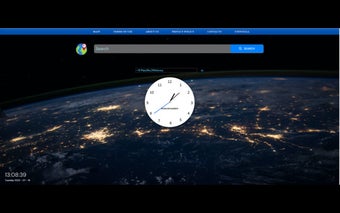
MyWorldClock is a versatile Chrome extension developed by Mobitech that allows users to effortlessly add and track multiple clocks from various time zones around the globe. With this extension, users can stay connected with friends, family, and colleagues worldwide, while easily managing different time zones in a user-friendly interface.
The main feature of MyWorldClock is its ability to add any time zone of your choice to your home screen. This means that you can easily keep track of the time in different parts of the world without having to manually search for the time zone every time. The extension provides a convenient way to stay updated with the local time of your contacts, making it ideal for frequent travelers, remote workers, and anyone who needs to coordinate activities across different time zones.
To install MyWorldClock, simply click on the "ADD TO CHROME" button. By doing so, you agree to the terms of use and privacy policy as described by the developer. If you ever decide to uninstall the extension, you can easily do so by following a few simple steps in the Chrome browser settings.
With MyWorldClock, managing multiple time zones has never been easier. Stay connected and organized with this handy Chrome extension.